Sending a SEPA cancellation after creating or editing it

 
Prerequisite

The four-eyes principle is not activated at your company.

You have created the SEPA cancellation or edited and saved it.

You have prepared your security medium.

Procedure

1.

Click on Send.

2.

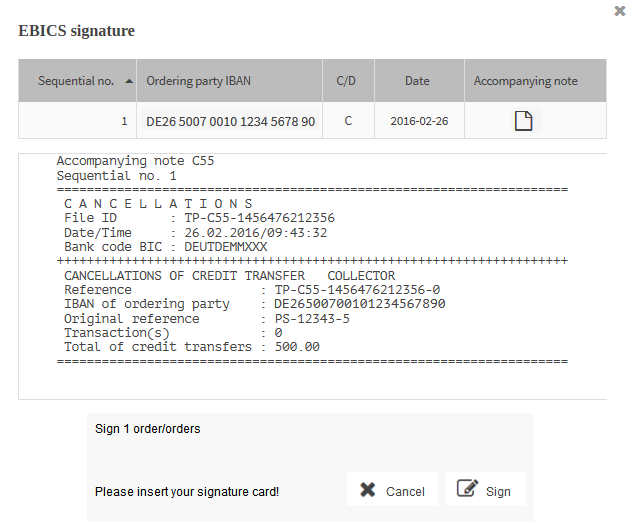
The mask of the security plugin opens, showing you the data of the cancellation.

3.

To view and save the accompanying note for the cancellation, select the button in the column Accompanying note.

A window is displayed in which you can use to open the accompanying note or save it as a file in a directory of your choice on your computer.

4.

To continue with the signing of the SEPA cancellation, click on Sign.

5.

Authenticate yourself with your security medium.

The cancellation is transferred to the financial institution.


After it has been sent successfully, the SEPA cancellation has the status Transferred successfully.


If it could not be sent successfully, for example, because your financial institution does not have a connection to the partner application, the SEPA cancellation has the status Transferred with errors.


If you clicked on Cancel, the SEPA cancellation has the status In process.